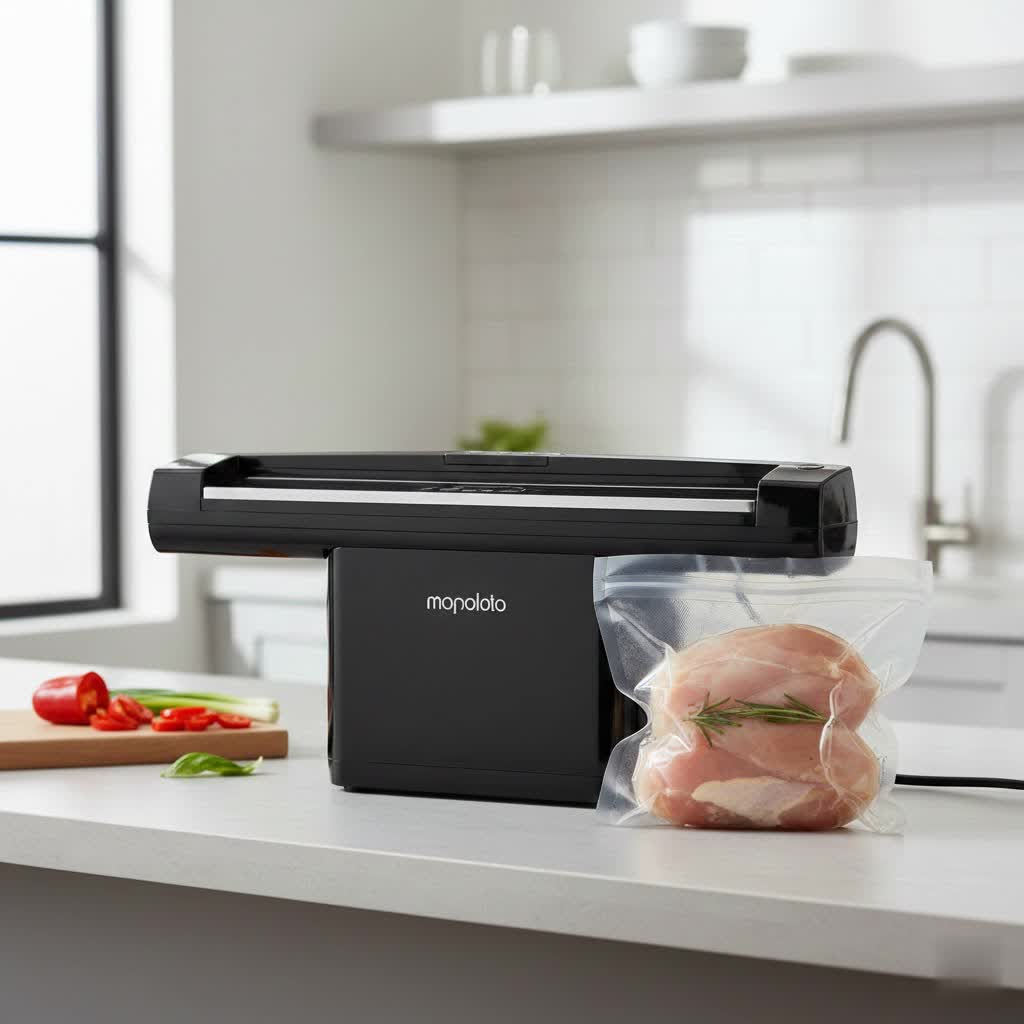
It’s a familiar scenario: you’ve meticulously prepped your food, placed it in a vacuum bag, and initiated the sealing process, only for your vacuum sealer to fail, leaving you with an unsealed bag and a growing sense of frustration. A vacuum sealer is an invaluable kitchen appliance, but when it stops creating that crucial airtight seal, it can halt your food preservation efforts. The good news is that many common sealing issues aren’t serious malfunctions and can be resolved with a few simple troubleshooting steps.
This comprehensive guide will help you understand the common culprits behind a non-sealing vacuum sealer, from user errors and maintenance oversights to component wear, and walk you through practical solutions to get your machine back to preserving your food perfectly.
Understanding Your Vacuum Sealer: The Basics of Sealing
At its core, a vacuum sealer works by removing air from a specially designed bag and then applying heat to create a strong, airtight seal. This two-stage process relies on several key components working in harmony. The vacuum pump or air channel evacuates air from the bag, while the sealing bar (which contains a heating element or heat strip) then melts the plastic layers of the bag together, forming an impervious barrier. Crucially, a gasket (often made of rubber or silicone) around the vacuum channel ensures a tight seal between the machine and the bag during the vacuuming phase, preventing air from re-entering. When any of these components or processes are compromised, a proper seal cannot be formed.
Common Reasons Your Vacuum Sealer Isn’t Sealing
When your vacuum sealer isn’t performing as expected, a few typical issues are usually to blame. Diagnosing the specific problem is the first step toward a successful fix.
Improper Bag Placement or Type
Table is empty.One of the most frequent reasons for seal failure stems from how the bag interacts with the machine. If the bag isn’t correctly positioned, the sealer can’t create an effective seal. This includes situations where the bag opening is not fully inserted into the vacuum channel, or if there are wrinkles or folds along the edge of the bag that prevent a smooth, consistent surface for the heat strip to fuse. Using bags that are incompatible with your specific vacuum sealer model, such as non-textured bags on an external suction sealer, can also lead to poor sealing. Additionally, overfilling bags, leaving insufficient space at the top, makes it difficult for the machine to draw a vacuum and create a clean seal. Many experts recommend leaving at least 3-5 inches of clear space.
Moisture, Food Residue, or Debris
Even the smallest amount of moisture, oil, or food particles on the bag’s sealing area can act as a barrier, preventing the plastic from fusing properly. Imagine trying to glue two surfaces together with a film of grease in between – it simply won’t stick. Similarly, crumbs or liquid debris within the vacuum channel itself or directly on the sealing strip can interfere with the machine’s ability to create and maintain a vacuum, leading to incomplete or weak seals. Regular cleaning of these areas is paramount to prevent such issues.
Worn or Damaged Sealing Components
Over time, components like the rubber or silicone gasket, the sealing bar, or the heat strip can experience wear and tear. Gaskets can become cracked, torn, or harden, losing their ability to create a tight seal. A damaged or dirty heat strip might not generate enough consistent heat to melt the bag plastic effectively, resulting in a partial or completely failed seal. These parts are critical for the machine’s primary function, and their degradation is a common cause of poor sealing performance.
Overheating or Incorrect Settings
Continuous use of your vacuum sealer without adequate cool-down periods can cause it to overheat. Many machines have a built-in safety mechanism that will temporarily shut down or prevent sealing when temperatures become too high, protecting the internal components from damage. Incorrect settings, such as a sealing time that’s too short for thicker bags or for items with residual moisture, will result in an inadequate seal. Conversely, a sealing time that’s too long or a temperature setting that’s too high can cause the bag to melt or wrinkle excessively, compromising the seal’s integrity. Always ensure you’ve selected the appropriate mode (e.g., dry, moist, or liquid) for the food you are sealing.
Insufficient Vacuum or Air Leaks
Sometimes, the problem isn’t with the seal itself, but with the vacuum process. If the machine’s lid isn’t fully closed and latched, air can escape, preventing the creation of a strong vacuum. A clogged vacuum port or channel, perhaps from food particles or liquids being drawn into it, will restrict airflow and lead to weak suction. While less common for home users, issues with the vacuum pump’s performance or air leaks within the machine’s internal hoses can also severely impact its ability to remove air. Furthermore, sharp edges on food items like bones or dry pasta can puncture the vacuum bag during the suction process, introducing air and rendering the seal ineffective.
Step-by-Step Troubleshooting Guide for Seal Failures
When your vacuum sealer isn’t sealing, don’t rush to conclusions. Most problems can be fixed at home with a systematic approach.
Check the Bag and Its Placement
Start with the easiest potential fixes: the bag itself. First, ensure you’re using high-quality, compatible vacuum sealer bags that are free from any holes, tears, or factory defects. Small pinholes can be hard to spot but will undermine any seal. Next, meticulously inspect the opening of the bag you intend to seal. Any moisture, crumbs, or oily residue on the inside or outside of the bag’s sealing area must be completely wiped away with a dry paper towel.
Finally, verify that the bag is positioned correctly within the machine. The open end of the bag should lie flat, without wrinkles or folds, and be fully inserted into the vacuum channel, covering the entire sealing gasket. Ensure you leave adequate headspace – typically 3 to 5 inches – between the food and the bag’s opening. This allows enough room for the air to be extracted and for the sealing bar to create a strong, clean seal. For foods with sharp edges, wrap them in a paper towel or place them in a smaller, soft container before vacuum sealing to prevent punctures.
Clean the Sealing Area and Gaskets
A dirty sealing area is a prime suspect for poor seals. Unplug your vacuum sealer and allow it to cool down completely before cleaning. Carefully inspect the sealing bar, the heat strip, and especially the gasket (the rubber or foam seal around the vacuum channel). Look for any trapped food particles, grease, or residue. Using a damp cloth, or a cotton swab for tight spots, thoroughly clean these surfaces. For stubborn grime, a little rubbing alcohol can be effective.
Also, examine the gasket for any signs of wear: cracks, tears, hardening, or flattening. A compromised gasket won’t create the necessary airtight seal during vacuuming. If you notice significant damage, it’s likely time for a replacement. Many manufacturers offer replacement gaskets, which are often inexpensive and easy to install.
Adjust Settings and Allow Cooling
Your vacuum sealer might simply need a settings tweak or a break. If the seals are weak or incomplete, try increasing the sealing time by a second or two, especially for thicker bags or items with higher moisture content. If bags are melting or wrinkling excessively, reduce the sealing time. Many modern vacuum sealers offer different modes for “dry” or “moist” foods; ensure you select the appropriate setting for what you’re sealing.
If you’ve been using your sealer for an extended period, it might be overheating. Most household vacuum sealers are designed for intermittent use and need time to cool down between cycles, particularly after sealing multiple bags in quick succession. Allow your machine to rest for 10-15 minutes, or as recommended by the manufacturer, before attempting to seal again. This can reset the internal temperature and resolve heat-related issues.
Inspect the Machine’s Lid and Latch
This might seem obvious, but a common oversight is not fully engaging the vacuum sealer’s lid and latch mechanism. If the lid isn’t completely closed and securely latched, the machine cannot create a proper vacuum seal because air will continuously leak. Ensure there are no obstructions, like a misplaced bag edge or food debris, preventing the lid from closing flush. Listen for the distinct “click” sound that indicates the lid is securely locked. Some models require you to press down firmly on both sides of the lid until it latches.
Address Vacuum Issues
If your machine runs but doesn’t seem to remove enough air, or the vacuum function is weak, the problem might lie in the vacuum system. First, check the vacuum port or channel for any blockages. Food particles, liquids, or even small pieces of plastic can get sucked in and obstruct airflow. Use a small brush, pipe cleaner, or even compressed air to gently clear any visible obstructions. For chamber-style sealers, inspect the vacuum chamber for any debris.
A quick test for vacuum integrity can involve sealing an empty bag. If it seals perfectly, the issue might be related to the content of your bags (e.g., too much moisture being pulled into the channel). If it still struggles to pull a vacuum, then the problem could be a more internal component like the vacuum pump.
When to Consider Replacement or Professional Service
While many issues can be resolved at home, there are times when your vacuum sealer might require professional attention or even a replacement. If, after systematically going through all troubleshooting steps, your machine still refuses to seal, it might indicate a more serious internal problem. Visible damage to critical internal components, such as a burnt-out heating element that won’t warm up, a consistently weak or non-functional vacuum pump, or persistent electrical issues (beyond a simple fuse replacement), typically warrant professional inspection.
Similarly, if your machine is displaying consistent error codes that you can’t resolve with the user manual, it’s a sign to seek expert help. Always consider the cost of repair versus the cost of a new unit. If the repair cost exceeds 50% of buying a new, equivalent model, investing in a new vacuum sealer often makes more financial sense. Before attempting any complex repairs yourself, check if your machine is still under warranty, as opening it up might void the coverage.
Maintaining Your Vacuum Sealer for Optimal Performance
Prevention is always better than cure, and this holds true for your vacuum sealer. Regular maintenance can significantly extend its lifespan and ensure consistent, reliable performance.
Regular Cleaning Habits
Make it a habit to clean your vacuum sealer after each use. A quick wipe-down of the sealing bar, vacuum channel, and gaskets with a damp cloth can prevent the buildup of food particles, oils, and moisture that lead to common sealing problems. For a deeper clean, especially if you’ve sealed moist foods, refer to your manufacturer’s instructions. Keeping these critical areas pristine is the most effective way to prevent frustrating seal failures.
Using the Right Consumables
The quality and type of vacuum bags you use play a crucial role in your sealer’s performance. Always opt for high-quality, food-grade bags and rolls specifically designed for vacuum sealing and compatible with your machine’s model. Cheap or incompatible bags might not create a strong bond with the heat strip or could tear easily, compromising the seal. Using the correct bags ensures optimal vacuuming and sealing every time.
Proper Storage
When not in use, store your vacuum sealer in a clean, dry environment away from direct sunlight, extreme temperatures, and excessive dust. Covering the unit can protect it from dust and debris accumulating in sensitive areas like the vacuum channel. Proper storage not only protects the machine from potential damage but also helps maintain the integrity of its components, contributing to a longer, more reliable service life.
Conclusion
A vacuum sealer that won’t seal can be a nuisance, but often the solution is simpler than you think. From ensuring proper bag placement and scrupulously cleaning sealing surfaces to checking for worn components and adjusting settings, most sealing woes can be resolved with a bit of troubleshooting and diligent maintenance. By understanding the common causes and implementing these practical fixes, you can prevent countless frustrations and continue to enjoy the benefits of fresh, perfectly preserved food. Isn’t it time to empower yourself with the knowledge to keep your food preservation routine running smoothly?
Frequently Asked Questions
Why won’t my vacuum sealer create a strong vacuum?
Weak vacuum often stems from air leaks or blockages. Check if the lid is fully latched, inspect the rubber gasket for cracks or debris, and clear the vacuum channel of any food particles or liquids. Improper bag placement or using incompatible bags can also prevent proper suction.
Can I fix a melted sealing strip?
A melted sealing strip usually indicates the sealing temperature was too high or the sealing time was too long. While you can often replace the heat strip (heating element) and the Teflon tape covering it, it’s crucial to adjust your settings afterward to prevent recurrence. Consult your user manual for replacement part information.
How often should I replace the gasket on my vacuum sealer?
The frequency of gasket replacement depends on usage and maintenance. With regular cleaning and proper care, a gasket can last a long time. However, if you notice it’s hardened, cracked, torn, or flattened, it’s time for a replacement to ensure an airtight seal. Inspect it monthly for wear and tear.
What kind of bags should I use if my sealer isn’t sealing?
Always use high-quality, food-grade vacuum sealer bags specifically designed for your machine. External suction sealers require “textured” or “embossed” bags, while chamber sealers can use smooth bags. Using the wrong type or low-quality bags can prevent a proper vacuum and seal.
Why is my vacuum sealer stopping mid-cycle?
A Vacuum Sealer stopping mid-cycle often points to overheating, especially after continuous use. Allow the machine to cool down for 10-15 minutes. Other causes include an unlatched lid, excessive liquid being sucked into the vacuum channel, or a safety sensor triggered by a blockage or malfunction.